
Syllabus scanner
Turn your syllabus into a calendar in seconds
Stop copying due dates by hand on the first week of class. Upload your syllabus and StudyFlow finds every assignment, quiz and exam, with the right dates, ready to review before it's added.
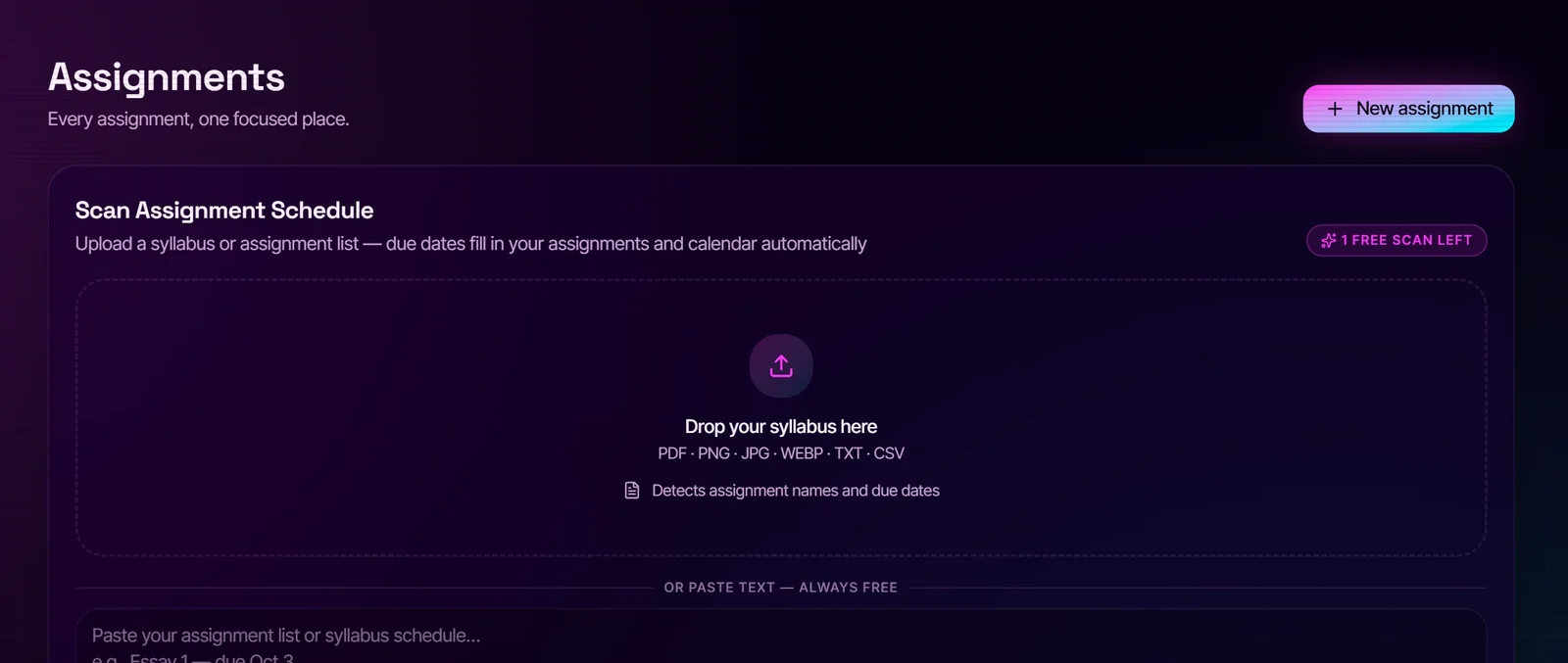
How it works
1. Upload a syllabus PDF or snap a photo of the course schedule. 2. StudyFlow reads it and lists each assignment, quiz and exam with its date and course. 3. Check the list, fix anything, and add it all to your calendar in one tap.
Works with your school's LMS
Already have deadlines in Canvas, Moodle, Brightspace (D2L) or Google Calendar? Import the calendar export (.ics) and StudyFlow sorts it into assignments and exams, matched to your courses.
Then it actually helps you do the work
Every deadline lands on your dashboard with an exam countdown, priorities and a one-tap “Focus on this” button that starts a study timer for that exact assignment.
Free and Premium
The AI syllabus and schedule scanners are part of Premium. On the free plan you can paste your assignment list as text and the dates are read on your device, no AI needed.
Questions
- What file types can I upload?
- PDF syllabi and course outlines, plus photos or screenshots of a schedule.
- Will it get every date right?
- It's accurate on most syllabi, but you always review the list before anything is added, so you can fix a date or skip an item.
- Can I import from Canvas or Brightspace?
- Yes. Export your calendar from the LMS (an .ics file or the printed calendar) and import it into StudyFlow.
- Does it work on my phone?
- Yes. StudyFlow runs in the browser and installs to your home screen like an app, so you can photograph a syllabus right from your phone.
Your whole semester, one calm workspace.
Assignments, calendar, focus timer, GPA and an AI coach that reads your notes. Free to start, no credit card.