
Focus timer
A study timer that makes you want to keep going
Pomodoro sessions, a full-screen Zen mode that hides everything else, and real rewards: streaks, StudyTokens and pets that grow as you study. Free, in your browser and on your phone.
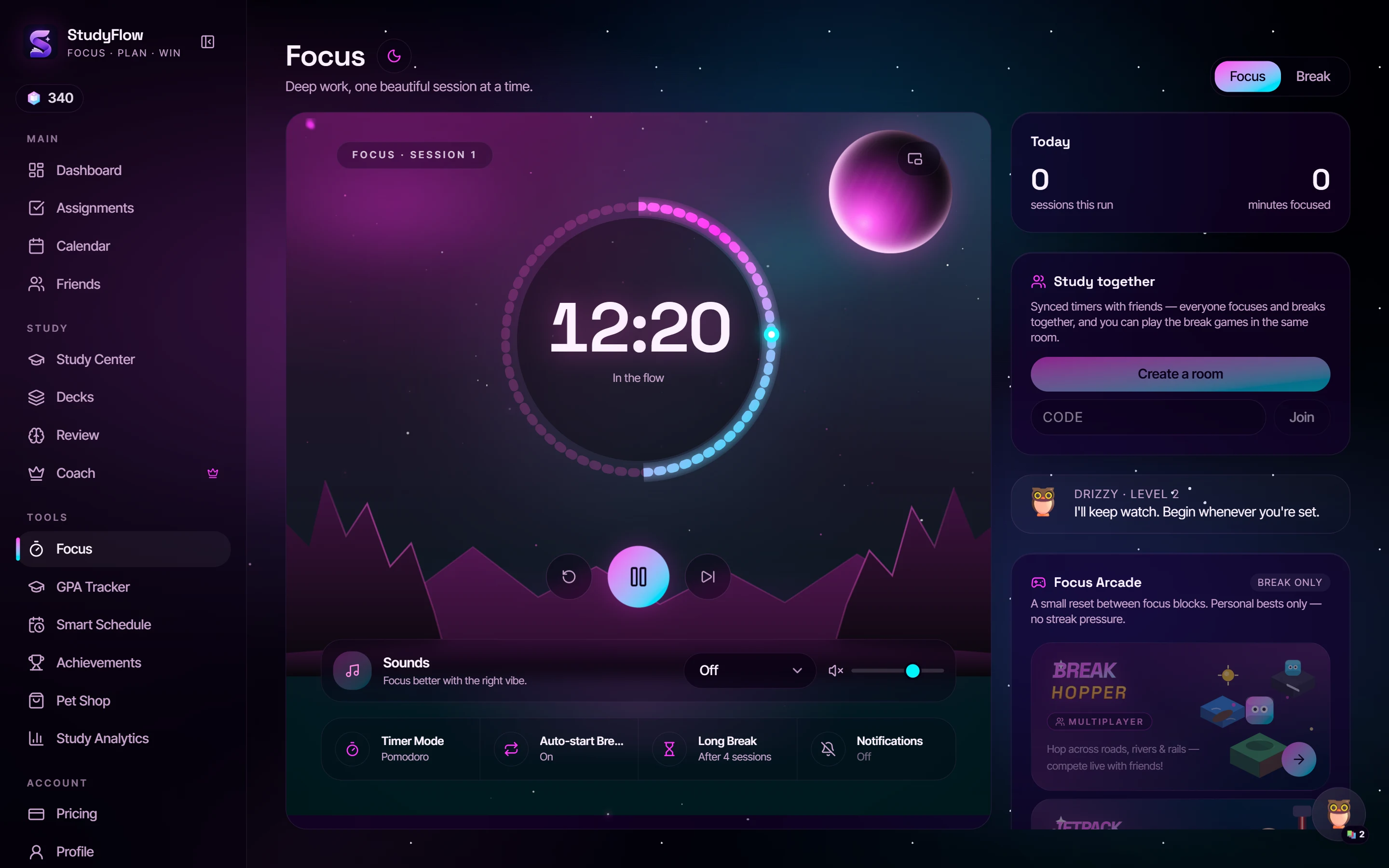
Pomodoro, done properly
Start a classic 25-minute focus block with a 5-minute break, or pick a longer preset for deep work. The timer keeps running when you switch tabs and shows on your phone's lock screen.
Zen mode
One tap turns the timer full-screen: big numbers, a calm animated background and nothing else to tap on. It's built for putting your phone face-up on the desk and leaving it.
Rewards that make it a habit
Every session earns StudyTokens and keeps your streak alive. Spend tokens on pets and accessories in the shop, and take a quick break in the built-in arcade when the timer says so.
Tied to what's actually due
Hit “Focus on this” on any assignment and the session is logged against it, so Study Analytics can show where your hours really went this week.
Questions
- What is the Pomodoro technique?
- Work in focused blocks (usually 25 minutes), then take a short break (usually 5 minutes). After four blocks, take a longer break. It makes starting easier and keeps your focus fresh.
- Is the study timer free?
- Yes. The focus timer, Zen mode, streaks and arcade are all on the free plan.
- Does it work if I close the tab or lock my phone?
- Yes. The timer keeps time from a saved end point, so it stays correct across tabs and page reloads, and installed on your phone it shows on the lock screen.
- Can I study with friends?
- Yes. Study Together rooms keep one shared timer in sync for everyone in the room.
Your whole semester, one calm workspace.
Assignments, calendar, focus timer, GPA and an AI coach that reads your notes. Free to start, no credit card.